Features

RxFolio organizes the health information you choose to record. Everything below is a record-keeping capability — RxFolio does not diagnose, prescribe, or interpret results clinically.

RxFolio is not a medical device and is not a substitute for professional medical advice. See the Medical Disclaimer.
Medications

Every medicine, every change, in order

Medication records

Name, strength, dose, route, and frequency. Search a drug reference as you type so names and strengths are recorded consistently rather than from memory.

Schedules and reminders

Fixed times, days of the week, intervals, or as-needed doses. Mark each dose taken, skipped, or missed to build an accurate intake record.

History and label photos

See what changed and when across the whole course of treatment, and attach a photo of the pack so similar-looking medicines are not confused.

Reminders are organizational aids. Delivery depends on your device, operating system, battery settings, and connectivity, so do not rely on RxFolio as your only prompt to take medication.

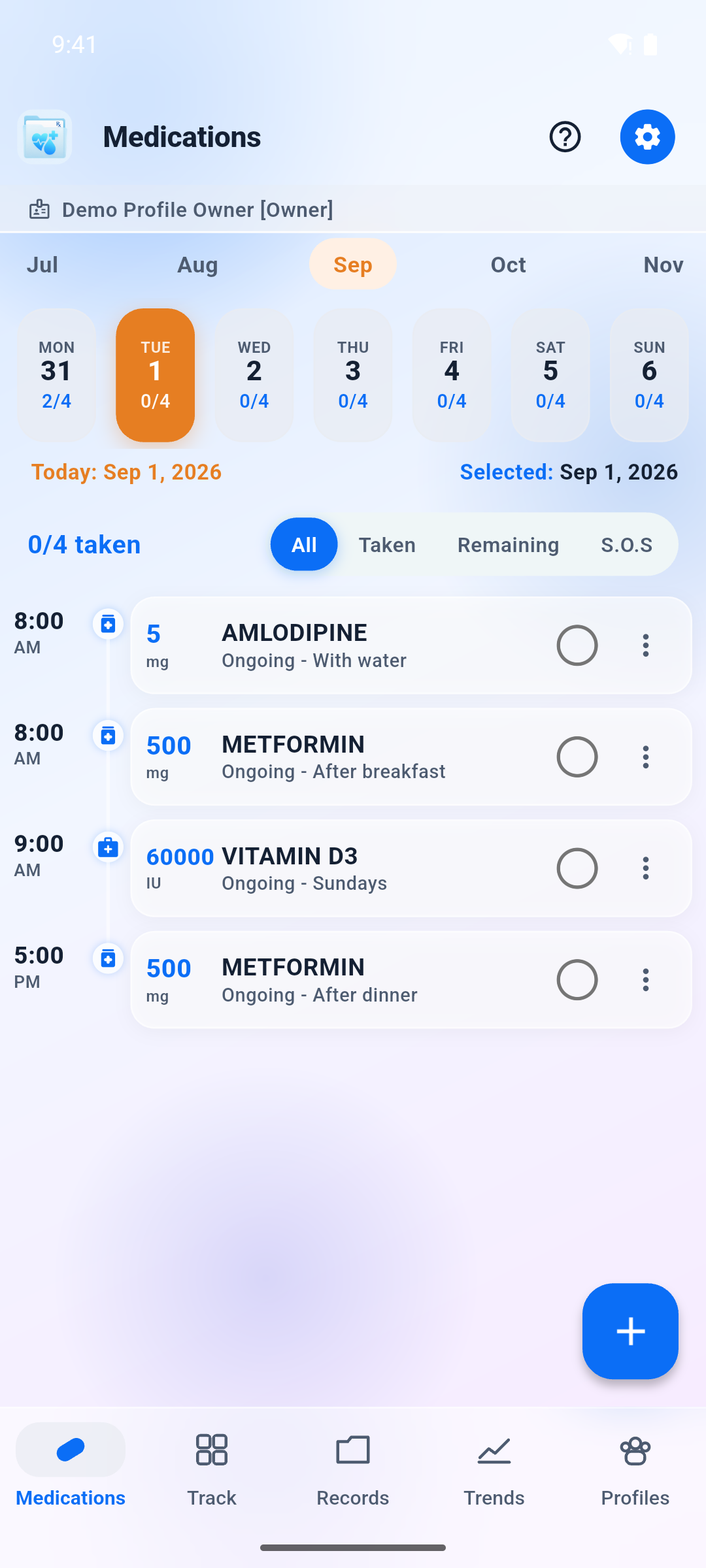
Phone: daily medication timeline

Documents

Stop searching through photographs of paper

Everything a visit produces

Prescriptions, laboratory and imaging reports, discharge summaries, medical bills, and insurance details — grouped by person and by type.

Capture or attach

Photograph a document with the camera, or attach a file you already have. The camera is used to capture the page — nothing reads the text on it. Camera and file access are requested only at the moment you use them.

Findable later

Record the medicines, dosages, dates, and values that matter alongside the file, so a document is something you can search and chart against rather than an image you have to open and squint at.

RxFolio does not read your documents. There is no OCR and no automated content extraction: a stored prescription or report is never opened, scanned, or analysed by RxFolio. The fields held against a document are the ones you entered yourself, so they can be incomplete or mistyped — always verify against the original before relying on it.

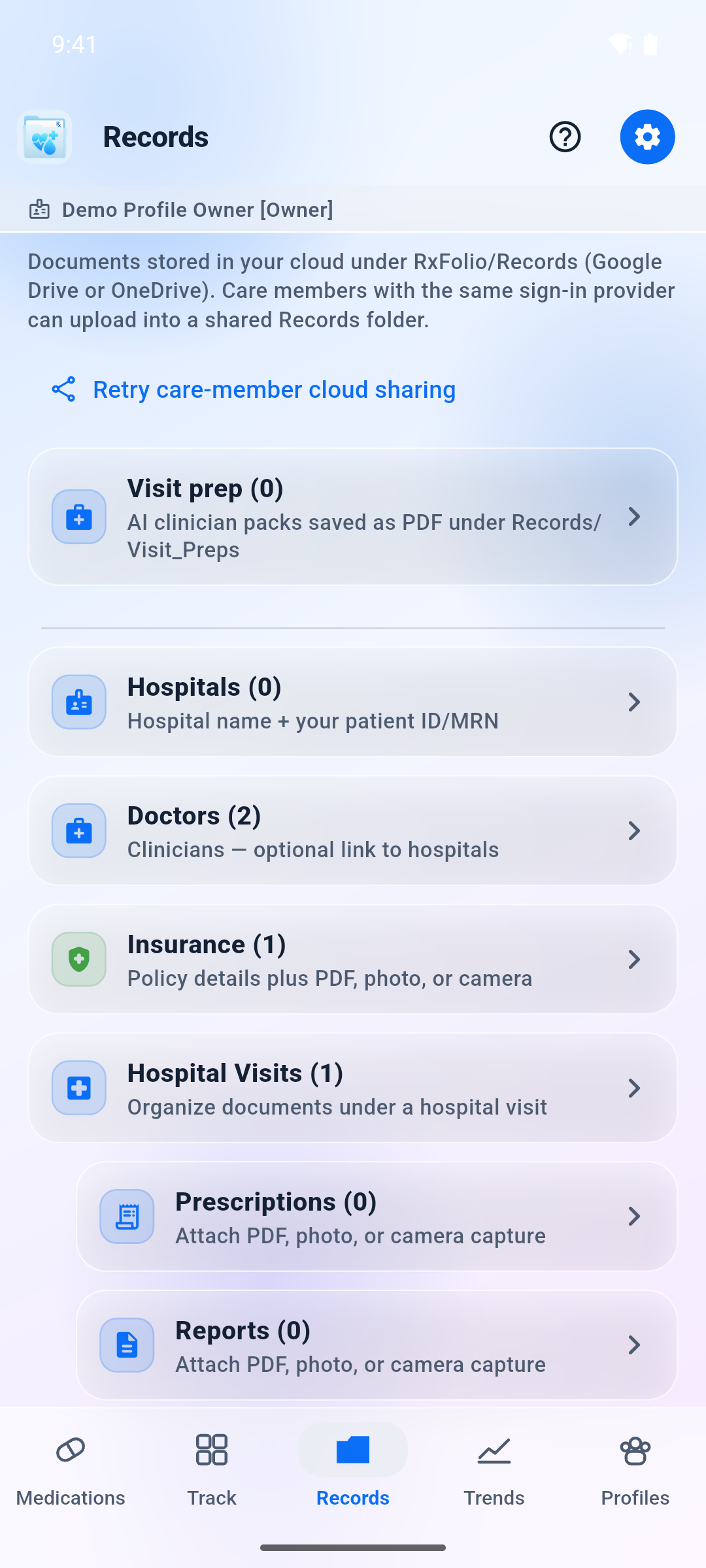
Phone: records organised by type

Health history

Describe change accurately, not approximately

Vitals and measurements

Blood pressure, blood glucose, heart rate, weight, temperature, and oxygen saturation, charted over time.

Symptoms and observations

Log symptoms, moods, and notes as they happen, so a pattern over weeks is visible rather than reconstructed at the appointment.

Conditions and allergies

Maintain conditions, allergies, procedures, surgeries, and medicine inventory alongside the clinical record they relate to.

Doctors, hospitals, visits

Contact details for clinicians and hospitals, records of each visit and the documents it produced, plus patient identifiers and insurance information.

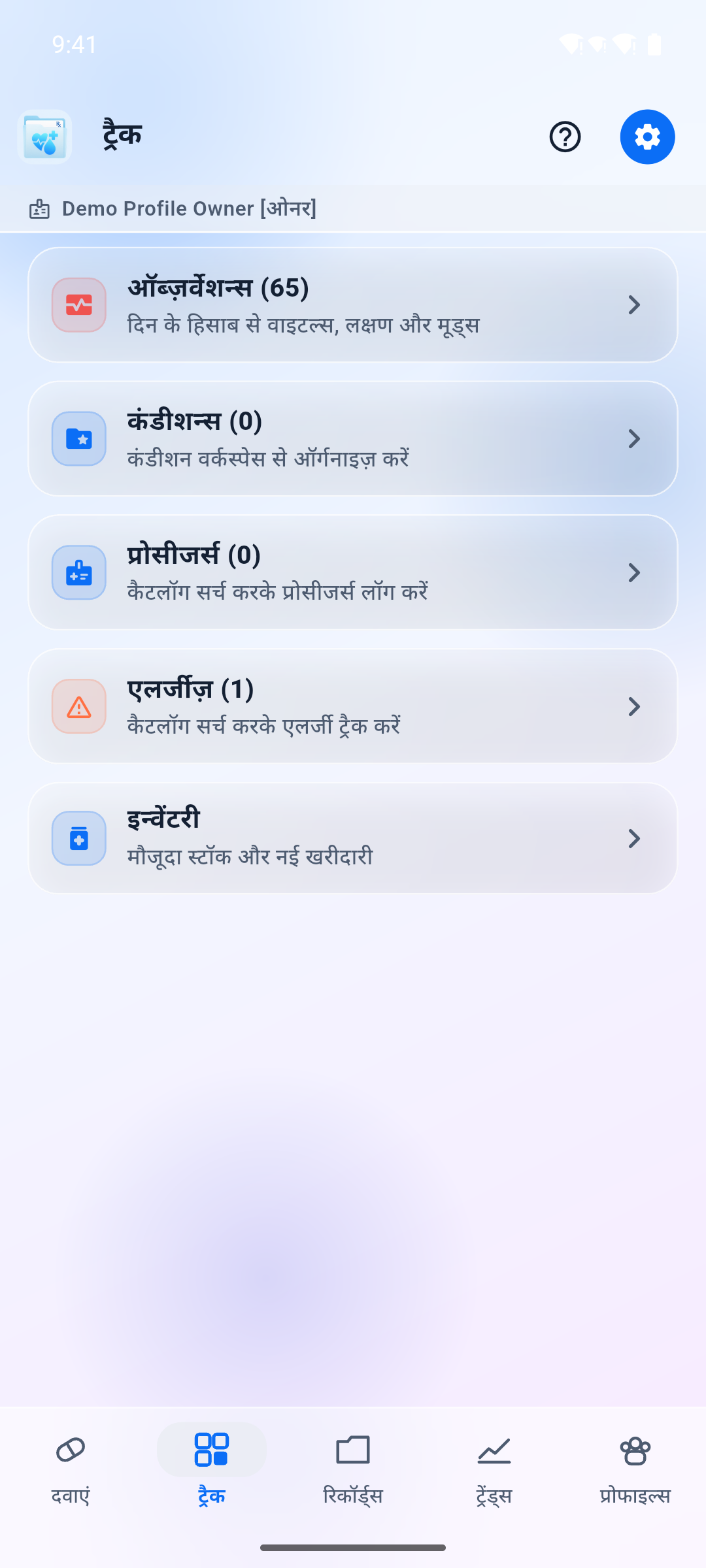
Phone in Hindi: Track hub with vitals, allergies, and inventory labels in Devanagari

People

Profiles, caregivers, clinic guests, and visit preparation

A profile per person

Separate profiles for the family members you manage, so a parent’s medications never mix with your own. If you record another person’s information, you are responsible for having the authority to do so.

Permissioned care sharing

Invite a caregiver, family member, or clinician to a profile you own. Choose what they can see and whether they can contribute, and revoke access at any time. Access events are written to an audit trail.

Guest access for a clinic visit

On Pro, create a time-boxed, read-only PIN for a clinic phone number. The guest does not need a RxFolio account. This is separate from Care sharing.

Visit-preparation reports

Generate a summary of the records you select — current and past medicines, recent symptoms, conditions, allergies, procedures, vitals, relevant documents — then review it before deciding who receives it. Generating the report is optional; nothing else in RxFolio depends on it.

Sharing is a disclosure of health information. Invite only people you intend to give access to, and revoke access when it is no longer needed.

A visit-preparation report is a draft for you to check, not a finding. It is assembled automatically from the records you select and the wording is generated for you, so it can be incomplete or wrong. It is not a diagnosis, not medical advice, and not dosing authority — review it before you rely on it or share it, and confirm anything that matters with your clinician. How this processing works: Privacy Policy § 12.

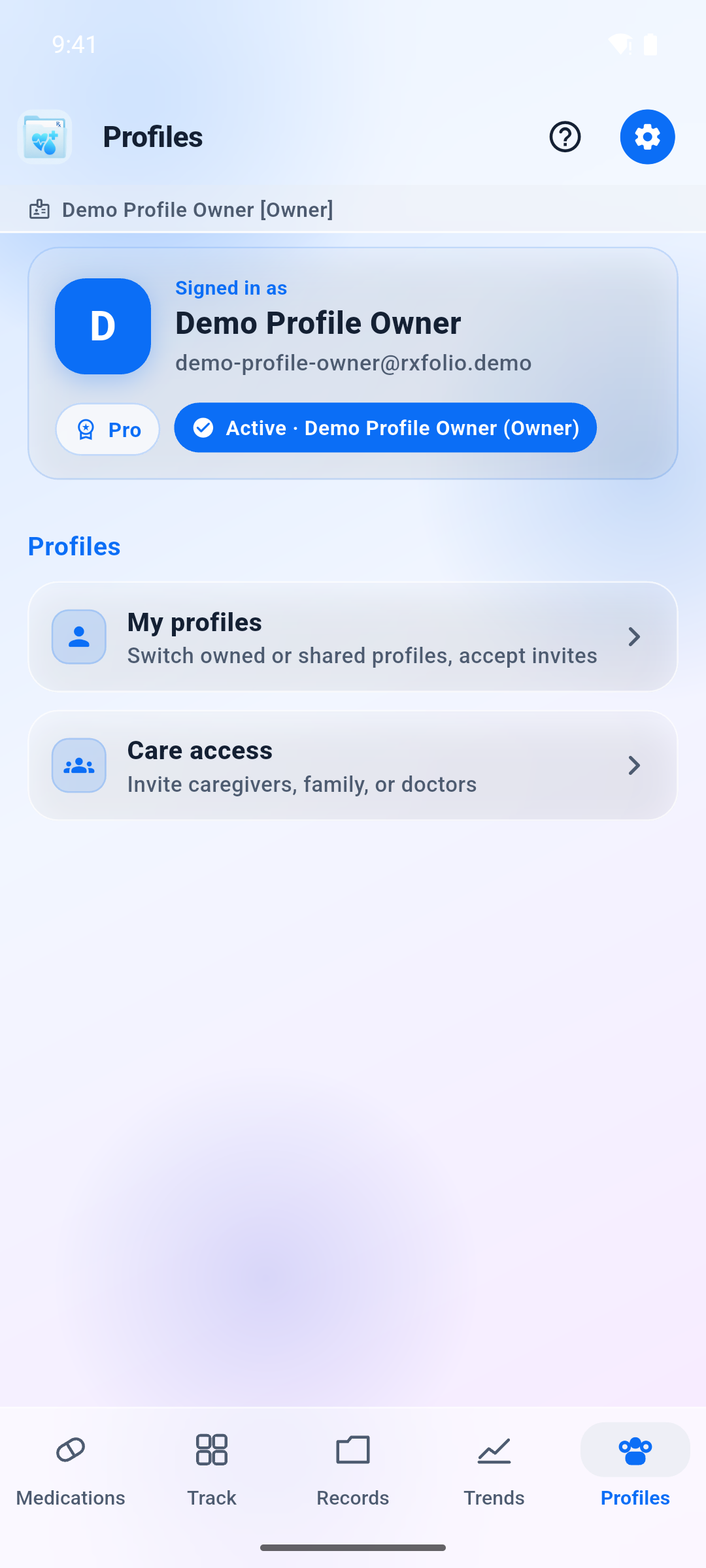
Phone: profiles hub with care sharing

Clinic visit

Guest access: a read-only PIN for the appointment

Guest access is included on Pro. It is a short window so a clinic can look at the profile you choose — without creating a RxFolio account, and without the write permissions of Care sharing.

You set the clock

Choose a duration from 15 minutes to one day, enter the clinic phone number, and confirm. RxFolio shows a six-digit PIN once. Share it verbally. You can revoke the window at any time from the profile.

Phone and PIN, not a new login

The guest opens the share flow in the RxFolio app or web app, enters the pre-registered phone number and the PIN, and browses medications, track, and records until the window ends. They never get an email invite or a password.

Read-only, then gone

Guests cannot add, edit, or delete records. When the window expires or you revoke it, access stops. The share log lists previous windows (masked phone, purpose, expired or revoked). PINs are never shown again.

Guest access is not Care access: caregivers you invite by email keep their own RxFolio sign-in and the permissions you grant. A guest PIN is for a clinic visit. Treat the PIN like a one-time pass — anyone who has the phone number and PIN can view that profile until you revoke it. How we store the clinic phone: Privacy Policy.

Your data

Backup, export, and deletion

The features that let you leave are as important as the ones that keep you.

Documents in your own cloud

Your medical documents are filed into RxFolio/ in your own Google Drive or OneDrive as ordinary, readable PDFs and images — and they stay there even if you delete your RxFolio account. See below.

Data export

Download an account export from Account settings at any time: account metadata, preferences, care grants, clinical records, and document pointers.

Delete from anywhere

Delete your account inside the app or from this website. Records are removed, not flagged — see what survives and why.

You keep the originals

Your documents stay in your Google Drive or OneDrive

This is deliberate. Medical documents are too important to be trapped in one company’s app, so RxFolio files them into your cloud account in a structure you can navigate without us.

Where the files go

Connecting Drive or OneDrive is optional. When you do, RxFolio organizes documents into a dedicated folder in your account, using an internal profile identifier rather than a name or email. Original PDFs and images stay in their original format and are protected by your cloud provider and your account security. The exact folder layout is published in Health Data & Permissions.

Organized by person, then type

Each person you keep records for gets their own area in that folder. Prescriptions, lab results, bills, and visit summaries are grouped by type so you can find them without the app.

Original format, openable anywhere

Documents keep their original PDF or image format rather than being wrapped in RxFolio encryption. Any Drive or OneDrive viewer opens them.

Anywhere, any time

Phone, tablet, laptop, or a borrowed browser: if you can sign in to your Drive or OneDrive, you can reach your documents. No RxFolio install, no RxFolio login, no export step.

They survive account deletion

Deleting your RxFolio account removes our copy of your records — it does not touch the files in your cloud account. They remain exactly where they are, in the same folders, still readable. If you want them gone, delete the RxFolio/ folder yourself.

What this means for you. Keeping documents in their original format is what makes them portable, and it means RxFolio adds no application-level encryption layer of its own to those files. They are protected by your cloud provider’s encryption and by your account security, so protect your Google or Microsoft account accordingly. Your medical documents are the only thing RxFolio writes there — our database backups stay on our own infrastructure, not in your Drive.

You can revoke RxFolio’s access to your cloud account at any time from your Google or Microsoft security settings; the files already written stay put. Scope details are in Health Data & Permissions and Privacy Policy § 5.

Platforms and plans

Where it runs, and what it costs

Android, iOS, and web

The same account works across devices, with the interface available in multiple languages.

Connectivity required

Your records live on the server as the authoritative copy. When the service is unreachable the app says so instead of showing information that may be out of date, and it does not offer offline clinical browsing.

Free tier and paid plans

A free tier with feature limits, plus paid plans that raise those limits and enable capabilities such as care sharing and guest clinic PIN.

Pricing, renewal, and cancellation terms are shown before purchase and governed by section 22 of the Terms & Conditions. Cancel a store subscription in Google Play or your Apple account — deleting your RxFolio account does not cancel billing.

Get RxFolio See what data each feature uses