 RxFolio
RxFolio is not a doctor and not a medical device. It does not diagnose conditions, prescribe treatment, or replace professional medical advice. In an emergency, contact your local emergency service. Read the Medical Disclaimer.
Personal health record & medication manager
RxFolio keeps prescriptions, lab reports, medications, and health history in one secure, searchable place — for you and for the people you care for.
Encrypted in transit and at rest · No ads · We never sell health data
RxFolio is not a doctor and not a medical device. It does not diagnose conditions, prescribe treatment, or replace professional medical advice. In an emergency, contact your local emergency service. Read the Medical Disclaimer.
What RxFolio does
You decide what to record. RxFolio keeps it structured, searchable, and ready for the next appointment.
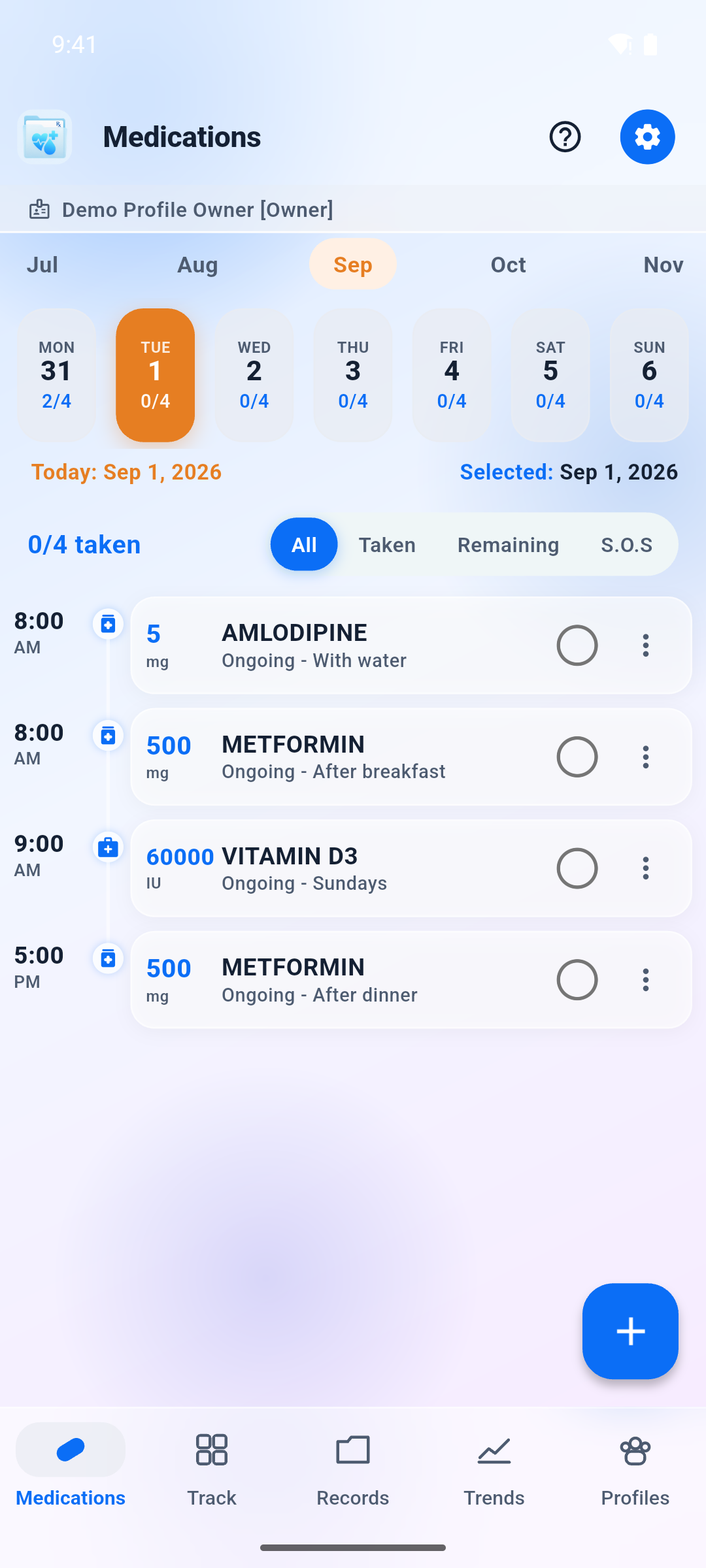
Name, strength, dose, route, and frequency for every medicine, with a full history of what changed and when. Look up medicine names as you type.
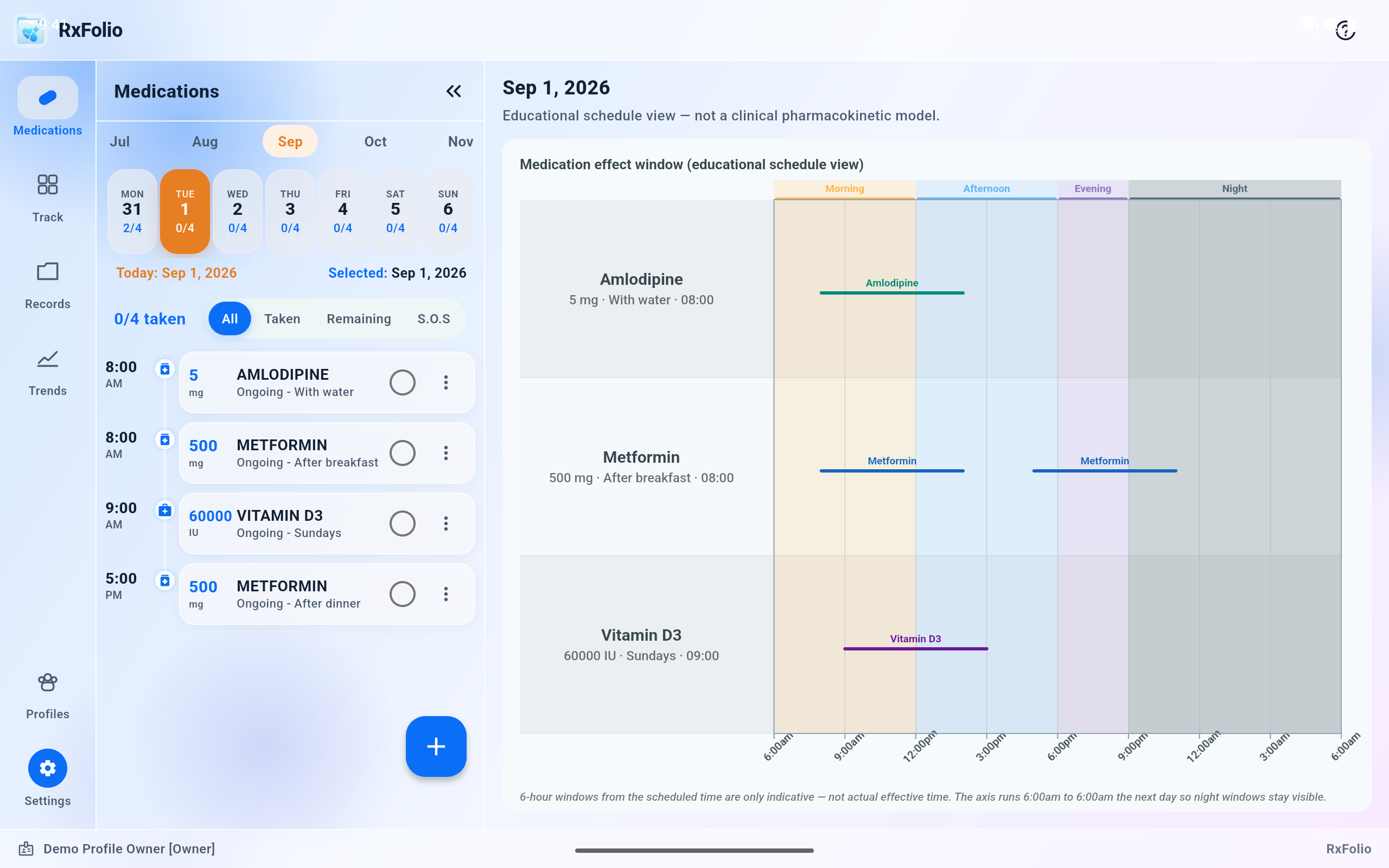
Fixed times, days of the week, intervals, or as-needed. Mark doses taken, skipped, or missed. Reminders are organizational aids, not clinical instructions.
Prescriptions, lab and imaging reports, discharge summaries, bills, and insurance details — captured with the camera or attached from a file, grouped by person. RxFolio files and labels them; it does not read what is inside them.
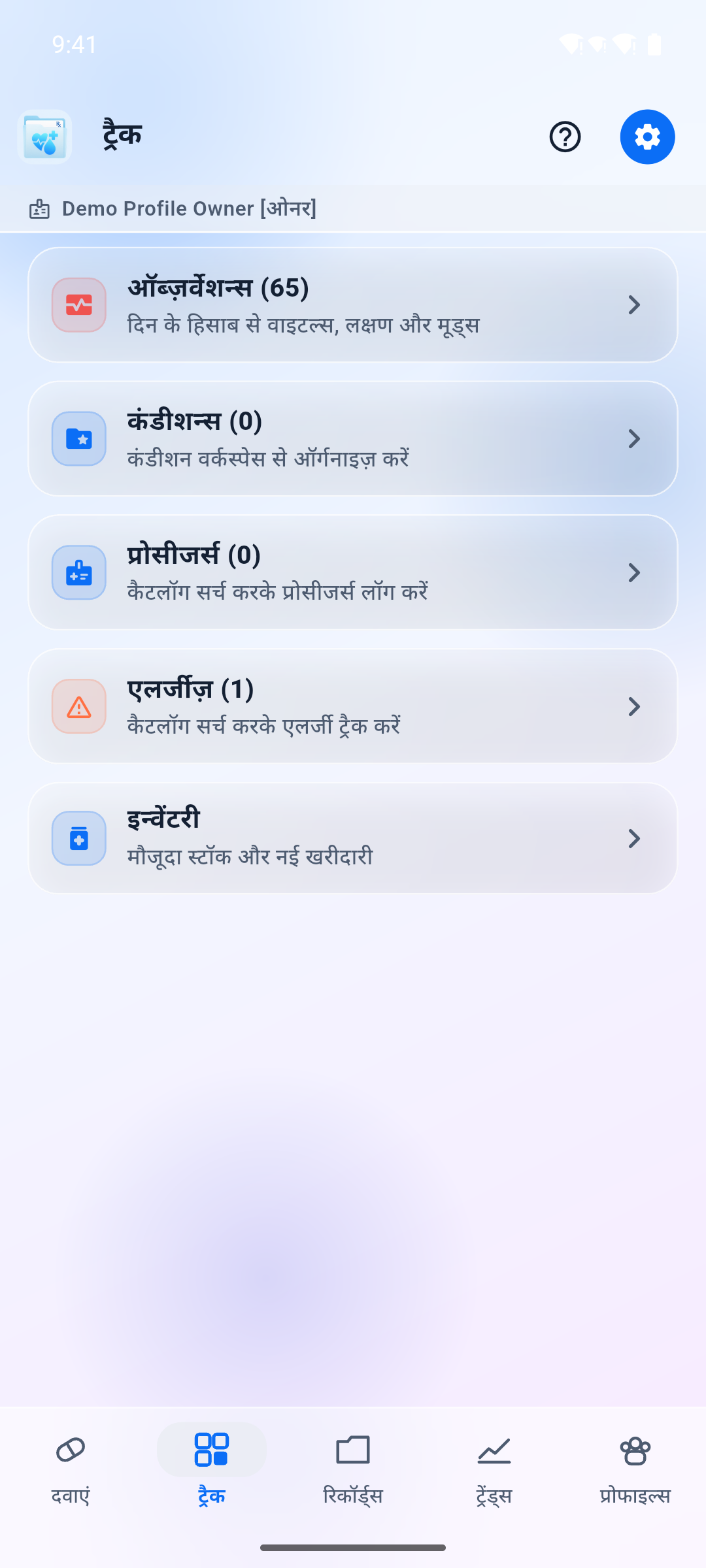
Blood pressure, glucose, heart rate, weight, temperature, oxygen saturation, symptoms and moods over time, so you can describe change accurately instead of guessing.
Separate profiles for the family members you manage. Invite a caregiver by email with access you can revoke. On Pro, create a short, read-only PIN so a clinic can view records for a visit without a RxFolio account.
Generate a summary of the records you select — medications, recent symptoms, conditions, allergies, vitals — to take to an appointment. You choose what it contains and who receives it.
In the app
A few views of the product. The interface is also available in Hindi and other Indian languages.
Honest scope
Health apps often blur this line. We would rather be explicit, because it changes how you should use the product.
Who it helps
Records accumulate across years, clinics, and family members. These are the situations RxFolio is designed around.
When a treatment plan runs to many medicines with different timings, a written list stops being enough. RxFolio holds the schedule and the history of changes.
Keep a separate profile per person so records never mix, and give another family member permissioned access instead of forwarding photographs of prescriptions.
Instead of a folder of loose paper, bring a summary of current medicines, recent measurements, and the reports that matter to this visit.
You keep the originals
RxFolio does not lock your medical documents inside an app. It files them into your own cloud account, organized, readable, and yours to keep.
Documents stay in your own Google Drive or OneDrive. RxFolio organizes them into a dedicated folder structure using an internal profile identifier, one person at a time.
Your original PDFs and images remain in their original format. Open them in the Drive or OneDrive app, on a computer, or from any browser — RxFolio not required. They are protected by your cloud provider and your account security.
Because the files are in your account and not ours, deleting your RxFolio account never touches them. Your records stay accessible anywhere, any time. If you do want them gone, you delete the folder yourself.
Your medical documents are the only thing RxFolio writes to your cloud account — we do not put our own database backups there. The files keep their original format rather than being wrapped in RxFolio encryption, which is exactly what lets you open them without us; they are protected by your cloud provider and your account security. Details in Health Data & Permissions.
Privacy and security
RxFolio contains no advertising SDKs and no behavioural-analytics SDKs. There is no category of vendor we work with whose purpose is marketing or profiling. Structured records live on our servers; original documents stay in your Drive or OneDrive when you connect them.
HTTPS/TLS in transit, encryption at rest, and server-side authorization on every request. Sign-in is delegated to Google or Microsoft, so we never see your password.
Connecting Google Drive or OneDrive is optional, and what RxFolio writes there is your medical documents — into your account, not a vault we control. They stay in their original format, so they remain readable without us.
Deleting your account removes the records rather than disabling the account — and we publish exactly what survives, and why.
Get started
Sign in with the Google or Microsoft account you already use. A free tier is available; paid plans raise the limits and add care sharing and guest clinic PIN.
RxFolio runs on Android and iOS, and in the browser as a web app.
Authentication is handled by Google or Microsoft — there is no new password to remember.
One for yourself, and one for each family member whose records you manage.
Photograph or attach a prescription so it is filed and easy to find, and type in the details you want tracked. RxFolio does not read the document for you.
Build dose schedules, then invite a caregiver, create a clinic PIN, or generate a summary for your next visit.
Frequently asked
No. We do not sell health information, share it with data brokers, or use it to target advertising. RxFolio ships no advertising SDKs. The full list of what we will not do with health data is section 11 of the Privacy Policy.
No. RxFolio is a record-keeping tool, not a diagnostic one. It does not diagnose, prescribe, or interpret results clinically. Where automation helps — summarizing the history you have already recorded, for a visit — the result is a draft for you to check with a clinician. See the Medical Disclaimer.
Not for health records. Your data lives on our servers as the authoritative copy, and the app keeps only a short-lived in-memory cache while you are signed in. When the service is unreachable the app tells you, rather than showing information that may be out of date. Keep a copy of anything critical outside the app.
Your subscriber record and every clinical record tied to it are removed — not just flagged. What stays: the documents in your own Drive or OneDrive, store subscriptions you must cancel yourself, our own rotating encrypted infrastructure backups until they age out, and records we must keep by law. Full detail: Data Retention & Deletion. You can delete your account here.
No. Your documents stay in your Google Drive or OneDrive as ordinary, readable PDFs and images, organized in a dedicated folder in your account. Deleting your RxFolio account does not touch them, and you never needed RxFolio to open them in the first place. See the section above. The exact folder layout is in Health Data & Permissions.
No, and no app can guarantee that. Delivery depends on device settings, battery optimization, notification permissions, connectivity, and the operating system. Treat reminders as a helpful prompt, not as your only safeguard.
Only the person you invite, limited to the permissions you grant, and only until you revoke them. Access events are written to an audit trail that records identifiers and timestamps — never clinical content.
On a Pro plan, yes. Guest access lets you create a short, read-only window: you enter the clinic phone number and share a six-digit PIN once. The clinic opens the share flow in the RxFolio app or web app, enters that phone and PIN, and can browse medications, track, and records until the window ends or you revoke it. This is not Care access — the guest cannot write and does not get a RxFolio account. See Features.
You choose the profile, the date range, and which records to include; RxFolio assembles those records and drafts the summary wording for you on our servers. It is a draft to review, not a clinical finding, and generating one is entirely optional. See Privacy Policy § 12.
Under Indian law a child is anyone under 18, and a child cannot hold an independent RxFolio account. A parent or lawful guardian can manage a profile for a child inside their own account. We do not track, profile, or advertise to children.
Most records are editable directly in the app, and Account settings offers a data export. For anything else — access, correction, export, withdrawal of consent, nomination, or a grievance — see Privacy Request. We respond within 90 days at the latest.
Transparency
These pages are public, readable without an account, and printable. They are also the source we use for app-store data-safety declarations.